



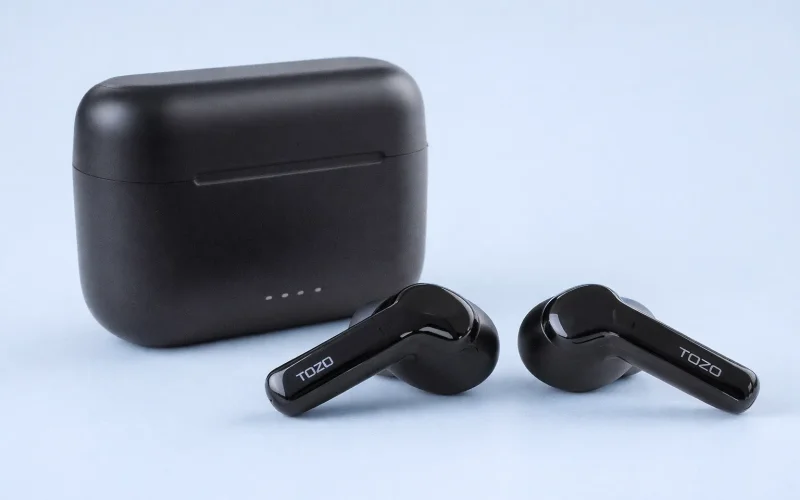
TOZO NC2 earbuds rarely have hardware defects. Most problems happen when Bluetooth pairing data becomes corrupted or the left and right earbuds lose synchronization. This typically shows up as one earbud playing audio, repeated disconnects, or the earbuds failing to enter pairing mode. Reconnecting from your phone does not correct these issues. A full reset clears all saved connections, forces both earbuds to resync, and restores normal pairing and control behavior. That reset process is the only reliable solution users expect when searching for how to reset TOZO NC2 earbuds.
Quick Answer:
To reset TOZO NC2 earbuds, delete “TOZO NC2” from your phone’s Bluetooth settings and place both earbuds in the charging case. Remove them together, then touch and hold both earbuds for 10 seconds until the indicator lights flash, confirming the reset. Put the earbuds back in the case, take them out again, and reconnect from Bluetooth to complete.
How to Reset TOZO NC2 Earbuds
- Open your phone’s Bluetooth settings and forget “TOZO NC2.”
- Place both earbuds in the charging case and keep the lid open for 10 seconds.
- Remove both earbuds at the same time.
- Touch and hold the touch panel on each earbud for 10 seconds until the indicator lights flash and then power off, confirming the reset.
- Put both earbuds back into the charging case.
- Remove them again and reconnect by selecting TOZO NC2 in Bluetooth settings.
This reset clears all saved connections and resynchronizes both earbuds.
If the earbuds do not reconnect automatically, follow these steps to pair your TOZO earbuds with a phone or computer again.
TOZO provides official guidance for pairing and synchronization issues in its earbuds support and troubleshooting documentation.
FAQs about resetting TOZO NC2 earbuds
Yes. Resetting TOZO NC2 earbuds removes all saved Bluetooth connections. After the reset, the earbuds will not reconnect automatically and must be paired again from your device’s Bluetooth settings.
A TOZO NC2 reset usually takes under one minute. The process includes clearing old Bluetooth data, resynchronizing both earbuds, and putting them back into pairing mode.
No. The charging case is required to complete a full reset. Without the case, the earbuds cannot power cycle correctly or resynchronize with each other.
This happens when both earbuds were not reset at the same time. Repeat the reset and make sure both earbuds are touched and released together until both indicator lights respond.
No. Resetting TOZO NC2 earbuds does not require the TOZO app. The entire reset process is done using the earbuds and the charging case.