






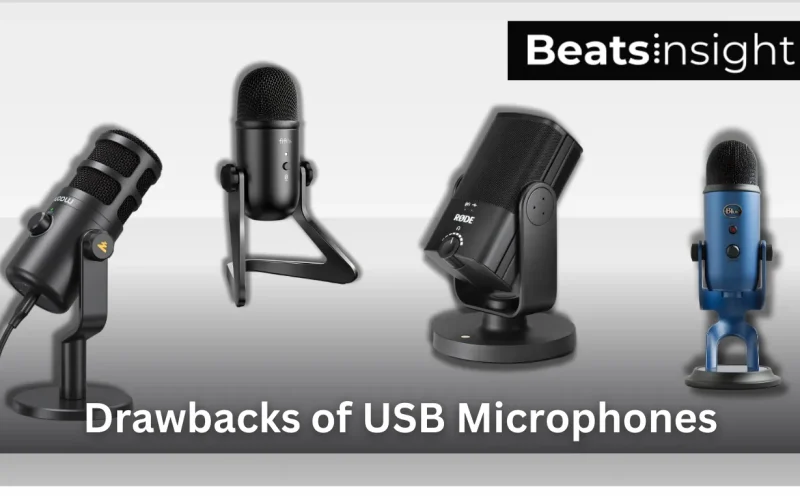
USB microphones are convenient because they combine the microphone, preamp, and audio converter into one device, but that design is also their biggest limitation compared to how different microphone types are designed.
The main drawbacks of USB microphones are restricted audio control, limited dynamic range, monitoring latency, and no upgrade path, which can lead to thin vocals, clipping on loud takes, and bottlenecks as recording quality improves.
USB mics are suitable for beginners and basic home recording, but once you care about vocal detail, consistency, or professional workflows, these limitations become unavoidable.
Understanding the real disadvantages of USB microphones helps you decide whether a USB mic is sufficient, or whether an XLR setup is the smarter long-term choice.
Are USB mics good for recording vocals?
USB microphones are good for recording vocals for beginners and casual home setups, but they are not ideal for professional-quality vocal recording. They limit sound control, reduce dynamic range, and prevent hardware upgrades, which directly affects vocal clarity and recording flexibility.
Disadvantages of USB Microphones
USB microphones combine the microphone, preamp, and analog-to-digital converter into one device. That plug-and-play design is convenient, but it creates structural limits that become more noticeable as recording standards rise, especially compared to an XLR microphone paired with a dedicated audio interface (separate preamp + conversion), as explained in an overview of how USB and XLR microphones differ.
Quick list: the biggest disadvantages of USB microphones
- Less headroom and gain control (easier clipping on loud vocals)
- Monitoring latency (delay while hearing yourself)
- Higher risk of USB/computer noise (buzz, whine, hiss)
- Limited compatibility with mixers/preamps/processors
- No modular upgrade path (all-in-one bottleneck)
These drawbacks apply most clearly to entry-level and mid-range USB microphones. Some higher-end USB models reduce specific issues (like monitoring latency via direct monitoring), but the all-in-one design still limits scalability.
Lower Sound Quality (Compared to XLR + Interface)
Many USB microphones use integrated preamps and converters built for convenience. Compared to a dedicated interface, this can reduce fine detail, depth, and consistency, especially once you EQ/compress vocals.
What you’ll notice: vocals sound less “polished” in a mix.
Reduced Headroom and Dynamic Detail
Even when frequency specs look good, USB mics often have less usable headroom and a higher noise floor than XLR + interface setups, which limits clean capture on loud or dynamic takes.
What you’ll notice: louder parts get edgy/strained faster.
Distortion and Clipping on Loud Vocals
With fewer gain-staging options, it’s easier to clip during loud vocals or sudden peaks. Digital clipping is permanent once recorded.
What you’ll notice: crunchy peaks on loud words/shouts.
Latency During Monitoring
Latency depends on buffering, drivers, and system load—not just the connector. USB mics often rely on software monitoring, which can introduce delay; some models reduce this with direct monitoring.
What you’ll notice: you hear yourself slightly late, affecting performance.
Computer Noise and USB Interference
Because USB mics share power/data with the computer, electrical noise from ports/hubs/system load can leak into the signal.
What you’ll notice: hiss/buzz/whine that can change as the computer works harder.
Software and Configuration Sensitivity
USB mics are more sensitive to OS/app settings (sample rate, buffer size, permissions, exclusive mode). Misconfigurations can cause instability.
What you’ll notice: crackling, dropouts, inconsistent latency between apps.
Limited Compatibility With Professional Audio Gear
USB mics generally don’t integrate into external preamps, hardware compressors, mixers, or studio chains the way XLR mics do.
What you’ll notice: you can’t scale beyond a basic computer-only workflow.
No True Upgrade Path
Because the mic + preamp + converter are fused, meaningful upgrades often mean replacing the entire mic rather than improving one component.
What you’ll notice: you hit a ceiling quickly as your standards grow.
If vocal clarity and long-term flexibility matter, exploring microphones designed specifically for vocals can help you move beyond the limitations of USB microphones.
Multi-Microphone Limitations
Using multiple USB mics on one system can be difficult due to routing/driver limits and clock drift over long recordings.
What you’ll notice: setup headaches, sync drift, inconsistent results.
FAQs:
XLR microphones are generally better than USB microphones for sound quality, control, and long-term scalability. USB microphones are easier to set up, but XLR setups provide more headroom, lower noise, and the ability to upgrade individual components, which is why they are preferred for professional recording.
USB microphones can work for basic voice recording, but they are usually not ideal for professional recording because they offer less headroom, less monitoring control, and no upgrade path compared to an XLR microphone with a dedicated audio interface. These limits become obvious on loud vocals and demanding mixes.
USB microphones often sound worse because the preamp and analog-to-digital converter are built into the mic and are usually less precise than a dedicated audio interface. This commonly results in higher noise, lower usable headroom, and less control over gain and monitoring than an XLR setup.
A USB microphone can have noise or buzzing because it shares power and data with your computer. USB ports, hubs, long cables, and electrical interference from the system can introduce hiss, whine, or buzzing into the recording, especially on laptops or busy PCs.
A USB microphone makes sense for beginners, podcasts, streaming, and meetings when ease of setup matters more than maximum audio control. If you need lower noise, better monitoring, or an upgrade path for higher-quality vocals, an XLR mic with an interface is usually the better choice.
