



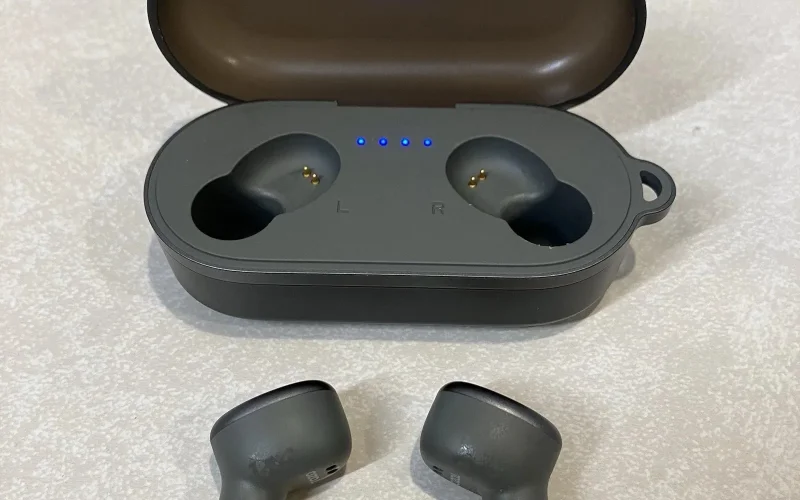
TOZO T10 earbuds usually fail when the left and right sides stop syncing, which is why only one earbud connects, pairing breaks after switching devices, or Bluetooth refuses to recognize them together. This isn’t a phone-side issue. It happens when the earbuds retain conflicting pairing data from interrupted charging or incomplete connections. Once that internal link is broken, reconnecting rarely works without clearing it completely. A proper reset wipes the stored pairing state and forces both earbuds to establish a fresh master connection before linking to any device. The sequence matters, and shortcuts often make the problem worse. This explains how to reset TOZO T10 earbuds
Quick Answer
To reset TOZO T10 earbuds, remove both earbuds from the charging case. Press and hold the touch panels on both earbuds for about 10 seconds until they fully power off. Place them back in the charging case and close it briefly. Remove the earbuds again, and they will automatically pair with each other and enter pairing mode for reconnection.
How to Reset TOZO T10 Earbuds (Step-by-Step)
1. Remove both earbuds from the charging case
Take both earbuds out at the same time.
2. Power off both earbuds completely
Press and hold the touch panel on each earbud for at least 10 seconds until the LEDs turn off.
3. Place both earbuds back into the charging case
Make sure both earbuds are seated properly and charging.
4. Close the charging case for 5 seconds
Keep the lid closed to clear the stored pairing data.
5. Remove both earbuds together
The earbuds will automatically pair with each other and enter pairing mode.
6. Reconnect from your device’s Bluetooth settings
Select TOZO-T10 to complete the connection.
If the earbuds don’t reconnect immediately, follow the steps to properly pair them again in our guide on how to connect TOZO earbuds.
TOZO T10 One Earbud Not Working (Re-Sync Fix)
If only one TOZO T10 earbud plays sound, connects by itself, or appears as a separate Bluetooth device, the earbuds are no longer synced to each other. This usually happens when one earbud powers on or reconnects earlier than the other, breaking the internal stereo link.
After completing the reset above, do this:
- Remove both earbuds from the charging case at the same time
Do not take one out early. Timing matters. - Wait for the earbuds to pair with each other first
They must sync together before your phone detects them. - Open Bluetooth settings and look for a single TOZO-T10 entry
If two devices appear, put both earbuds back in the case and repeat the steps.
If one earbud isn’t charging properly, the reset won’t complete make sure both earbuds are charging correctly before trying again.
How to know it worked
- Only one TOZO-T10 device appears in Bluetooth
- Both earbuds play sound together
- Stereo audio is restored
If the reset still fails or the earbuds don’t enter pairing mode, you can verify model-specific behavior and LED indicators on the official TOZO support page.
FAQs about resetting Tozo T10 earbuds
Yes. Remove TOZO-T10 from your phone’s Bluetooth list before reconnecting after a reset. This prevents the phone from reusing old pairing data that can cause connection or sync problems.
This happens when the earbuds lose their internal sync and connect separately. Removing both earbuds from the case at the same time allows them to pair with each other before reconnecting to your device.
Resetting TOZO T10 earbuds takes less than one minute. Powering them off, placing them in the case, and re-syncing usually completes within 30 to 60 seconds.
No. The charging case is required to reset TOZO T10 earbuds. The case clears stored pairing data and allows both earbuds to re-sync properly.
This usually means the earbuds did not enter pairing mode together. Place both earbuds back in the case, remove them at the same time, and wait for a single TOZO-T10 device to appear.